Unlock the Power of Google Drive: How to Create a Direct Download Link

Are you tired of sharing files with others only to have them struggle with downloading them from Google Drive? Do you wish there was a way to make the process smoother and more efficient? Well, wish no more! In this comprehensive guide, we’ll show you how to create a direct download link for your Google Drive files, making it easier for others to access and download them. Whether you’re a business owner, student, or simply someone who loves to share files, this tutorial is for you.
What is a Direct Download Link?
Before we dive into the nitty-gritty of creating a direct download link, let’s first understand what it is. A direct download link is a URL that allows users to download a file directly from a server without having to visit the file’s hosting page. In the case of Google Drive, a direct download link bypasses the preview page and takes the user directly to the download prompt. This can be especially useful for sharing large files, as it eliminates the need for the user to wait for the file to load in the preview page.
Creating a Direct Download Link for Google Drive Files
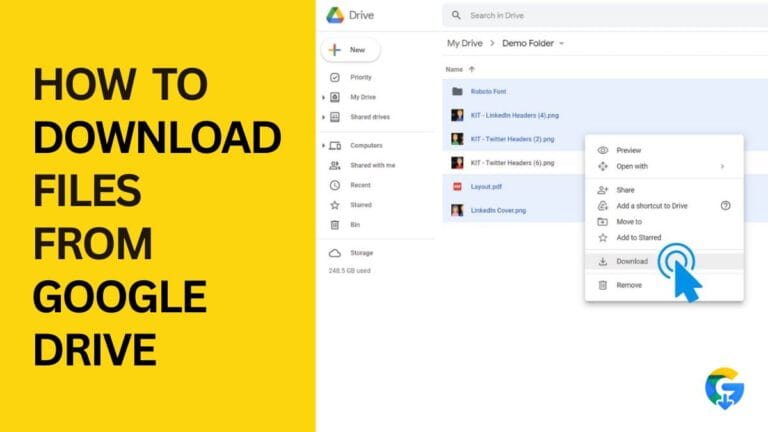
So, how do you create a direct download link for your Google Drive files? The process is relatively straightforward. Here are the steps:
1. Open Google Drive: Start by opening your Google Drive account and navigating to the file you want to share.
2. Get the File ID: Right-click on the file and select “Get link.” This will open a dialog box with a link to the file. The link will look something like this: `https://drive.google.com/file/d/FILEID/view`. The `FILEID` part is the unique identifier for your file.
3. Modify the Link: To create a direct download link, you need to modify the link by replacing `view` with `uc?export=download`. The resulting link will look like this: `https://drive.google.com/uc?export=download&id=FILE_ID`.
4. Share the Link: You can now share the direct download link with others. When they click on the link, they will be prompted to download the file directly.
Tips and Tricks for Using Direct Download Links
While creating a direct download link is a straightforward process, there are a few tips and tricks to keep in mind:
- File Size Limitations: Keep in mind that Google Drive has file size limitations for direct downloads. If your file is larger than 100MB, you may need to use a different method to share it.
- File Type Limitations: Not all file types can be downloaded directly from Google Drive. If you’re trying to share a file type that isn’t supported, you may need to convert it to a different format.
- Security: When sharing files using a direct download link, make sure to use a secure connection (HTTPS) to protect the file and the user’s device.
- Lead Magnets: Use direct download links to share lead magnets, such as e-books or whitepapers, with potential customers.
- Digital Products: Sell digital products, such as software or courses, using direct download links.
- Content Marketing: Share valuable content, such as webinars or podcasts, using direct download links.
- Direct download links can be used to share files up to 100MB in size.
- Not all file types can be downloaded directly from Google Drive.
- Use a secure connection (HTTPS) when sharing files using a direct download link.
- Direct download links can be used for business and marketing purposes, such as lead magnets and digital products.
Using Direct Download Links for Business and Marketing
Direct download links can be a powerful tool for businesses and marketers. Here are a few ways you can use them:
Conclusion and Key Takeaways
In conclusion, creating a direct download link for your Google Drive files is a simple and effective way to make it easier for others to access and download them. By following the steps outlined in this guide, you can create a direct download link and start sharing your files with ease. Remember to keep in mind the file size and type limitations, as well as the security considerations, when using direct download links. With these tips and tricks, you’ll be well on your way to unlocking the power of Google Drive and taking your file sharing to the next level. Key takeaways include:
By following these tips and using direct download links effectively, you can streamline your file sharing process and make it easier for others to access and download your files.