Title: Unlocking the Power of Google Drive Direct Download Links – A Complete Guide
—
Introduction: Why a Direct Download Link Matters
Imagine you’ve just finished polishing a high‑resolution PDF, a video tutorial, or a massive software installer and you need to share it with the world. A regular Google Drive share link works, but every time a user clicks it they land on Google’s preview page, must click “Download,” and may even be throttled by Google’s quota limits.
A Google Drive direct download link bypasses the preview, forces the file to start downloading instantly, and can be embedded in websites, emails, or learning platforms without the extra clicks. In this post we’ll demystify what a direct download link actually is, show you step‑by‑step how to create one (both manually and with handy tools), explain how to avoid the dreaded “download quota exceeded” error, and share best‑practice tips to keep your files flowing smoothly.
Ready to turn your Drive files into one‑click download assets? Let’s dive in.
—
1. Understanding Google Drive Direct Download Links
1.1 What Is a “direct download” link?
A direct download link points straight to the file’s binary data, triggering the browser’s download manager automatically. In URL terms, it usually contains the parameter `?export=download` or `&confirm=t`. The key difference from a standard share link (`https://drive.google.com/file/d/FILE_ID/view`) is that the latter loads Google’s UI first, while the direct version skips straight to the file.
1.2 The anatomy of a Drive URL
| Part | Example | Meaning |
|——|———|———|
| Base URL | `https://drive.google.com` | Google Drive domain |
| File ID | `1a2B3cD4eF5gH6iJ7kL8mN9oP0qR` | Unique identifier for the file |
| View mode | `/file/d/FILE_ID/view` | Default preview page |
| Direct mode | `/uc?export=download&id=FILE_ID` | Forces download |
When you replace `/file/d/…/view` with `/uc?export=download&id=…`, you’ve built a direct download link.
1.3 When to use a direct link
- Embedding in web pages – you want a “Download Now” button that instantly serves the file.
- Email newsletters – a single click saves readers time and reduces bounce‑rates.
- Learning Management Systems (LMS) – students expect immediate access to resources.
- Software distribution – installers need to start without extra prompts.
- Viewer vs. Editor – Only grant Viewer rights for public downloads; extra permissions can expose edit capabilities unintentionally.
- Link expiration – Periodically audit your direct links. If a file is no longer needed, revoke its share link to prevent stale URLs from lingering.
- Use Google Analytics on a redirect page that forwards to the direct link.
- Check the “View details” panel in Drive for recent activity.
—
2. Creating a Direct Download Link Manually
Even if you’re not a developer, you can craft a direct link in three quick steps.
2.1 Step‑1: Get the file’s shareable link
1. Open Google Drive and locate the file.
2. Right‑click → Get link.
3. Ensure the link sharing setting is Anyone with the link → Viewer (or Public if you want it truly open).
4. Copy the link; it will look like:
“`
https://drive.google.com/file/d/1a2B3cD4eF5gH6iJ7kL8mN9oP0qR/view?usp=sharing
“`
2.2 Step‑2: Extract the File ID
The long string between `/d/` and `/view` is the File ID:
“`
FILE_ID = 1a2B3cD4eF5gH6iJ7kL8mN9oP0qR
“`
2.3 Step‑3: Build the direct URL
Plug the ID into the direct‑download template:
“`
https://drive.google.com/uc?export=download&id=FILE_ID
“`
Result:
“`
https://drive.google.com/uc?export=download&id=1a2B3cD4eF5gH6iJ7kL8mN9oP0qR
“`
That’s it—share this URL and the file will begin downloading immediately.
2.4 Quick tip: Adding a “confirm” parameter for large files
Google sometimes adds a confirmation step for files larger than ~100 MB. If you receive a “Google Drive – Virus scan warning” page, append `&confirm=t` to force the download:
“`
https://drive.google.com/uc?export=download&id=FILE_ID&confirm=t
“`
—
3. Using Third‑Party Tools & Scripts
Manual crafting works for most cases, but when you need to batch‑process dozens of files or automate link generation, dedicated tools save time.
3.1 Online Direct‑Link Generators
| Tool | Features | Free tier? |
|——|———-|————|
| Drive Direct Link Generator | Paste a share link, get a ready‑to‑use direct link. Handles large‑file confirmations automatically. | Yes (limited daily usage) |
| GDriveDL | Browser extension for Chrome/Firefox. Adds a “Copy Direct Link” button to the Drive UI. | Yes |
| Link Generator by SmallSEOTools | Bulk upload of CSV with file IDs → returns a list of direct links. | Yes (up to 50 links) |
These services essentially perform the same ID extraction and URL templating for you, often adding the `&confirm=t` flag when needed.
3.2 DIY Script with Google Apps Script
If you’re comfortable with a tiny bit of code, a custom Apps Script can generate direct links for any file in a folder and write them to a Google Sheet.
“`javascript
function listDirectLinks() {
const folderId = ‘YOURFOLDERID’;
const folder = DriveApp.getFolderById(folderId);
const sheet = SpreadsheetApp.getActiveSpreadsheet().getActiveSheet();
sheet.clear();
sheet.appendRow([‘File Name’, ‘Direct Download Link’]);
const files = folder.getFiles();
while (files.hasNext()) {
const file = files.next();
const id = file.getId();
const url = `https://drive.google.com/uc?export=download&id=${id}`;
sheet.appendRow([file.getName(), url]);
}
}
“`
Run the script once, and you’ll have a tidy table of direct links—perfect for sharing with a team or embedding in a website.
3.3 API‑Based Approach
For developers building a SaaS platform, the Google Drive API (`files.get` with `alt=media`) can stream the file directly to the client, eliminating the need for a public URL altogether. This method respects OAuth scopes and can enforce per‑user download limits.
—
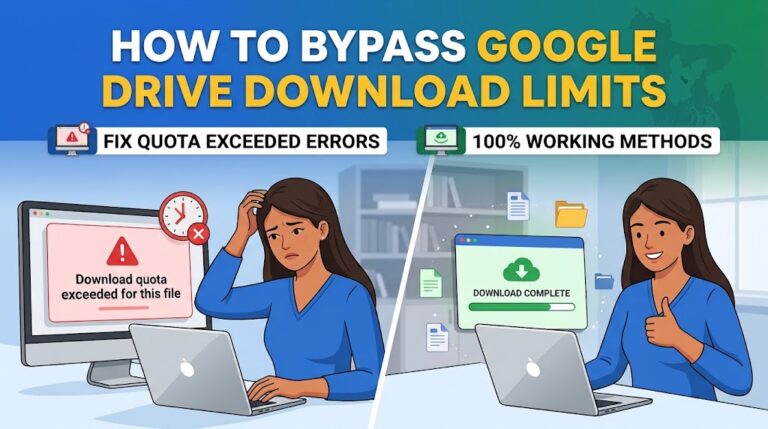
4. Bypassing the “Download quota exceeded” Roadblock
Google imposes a download quota (roughly 750 GB per file per 24 hours). If a file becomes popular, you may see the error:
> “Sorry, you can’t view or download this file at this time.”
Here’s how to keep your content accessible.
4.1 Duplicate the file
Create a copy of the original file in the same Drive (right‑click → Make a copy) and generate a new direct link for the duplicate. Rotate among several copies to spread the traffic.
4.2 Use a “download‑redirect” script
Host a small PHP/Node script on your own server that fetches the file via the Drive API and streams it to the visitor. Because the request originates from your server, the quota is applied to the server’s IP, not the end‑user’s. Example (PHP):
“`php
<?php
$fileId = $_GET[‘id’];
$downloadUrl = “https://www.googleapis.com/drive/v3/files/$fileId?alt=media&key=YOURAPIKEY”;
header(‘Content-Type: application/octet-stream’);
readfile($downloadUrl);
?>
“`
(Remember to secure the endpoint to avoid abuse.)
4.3 Switch to a CDN or alternative storage
If you expect massive traffic, consider moving the file to a CDN‑backed bucket (Google Cloud Storage, Amazon S3, or Cloudflare R2). You can still keep the original in Drive for personal use, but the public download will be served from a purpose‑built platform.
—
5. Best Practices & Troubleshooting
5.1 Keep permissions tidy
5.2 Optimize file size
Compress assets (ZIP, PDF optimization, video encoding) before uploading. Smaller files reduce the chance of hitting the quota and improve download speed for users on slower connections.
5.3 Test across browsers
Some browsers (especially older Safari versions) may block automatic downloads triggered by cross‑origin URLs. Adding the `download` attribute to an `` tag helps:
“`html
Download PDF
“`
5.4 Monitor analytics
Google Drive doesn’t provide built‑in download stats for public links, but you can:
5.5 Common error checklist
| Symptom | Likely cause | Fix |
|———|————–|—–|
| “Quota exceeded” | Too many downloads in 24 h | Duplicate file or use a redirect script. |
| “File not found” | Wrong File ID or revoked sharing | Verify the ID and ensure the file is still shared as Anyone with the link. |
| “Virus scan warning” | File > 100 MB | Append `&confirm=t` or use a redirect script that bypasses the warning. |
| “Browser blocks download” | Mixed content (HTTP page linking to HTTPS Drive) | Serve the page over HTTPS or use the `download` attribute. |
—
Conclusion: Key Takeaways
1. Direct download links are built by swapping the default preview URL for `https://drive.google.com/uc?export=download&id=FILE_ID`.
2. You can create them manually in seconds, or automate the process with online generators, Chrome extensions, or a simple Google Apps Script.
3. Quota limits can be mitigated by duplicating files, using server‑side redirects, or moving high‑traffic assets to a CDN.
4. Best practices—proper permissions, file compression, cross‑browser testing, and periodic link audits—keep your downloads smooth and secure.
With these tools and tactics in your arsenal, you’ll turn any Google Drive file into a seamless, one‑click download experience for your audience. Happy sharing!