Unlock the Power of Google Drive: How to Create a Direct Download Link and Boost Productivity
Are you tired of sharing files with others only to have them struggle with downloading them from Google Drive? Do you wish there was a way to make the process smoother and more efficient? Well, wish no more! In this comprehensive guide, we’ll show you how to create a direct download link for your Google Drive files, making it easier for others to access and download them. But that’s not all – we’ll also explore the benefits of using Google Drive, how to use it for collaboration, and provide tips on how to optimize your files for direct download.
Introduction to Google Drive and Direct Download Links
Google Drive is a powerful cloud storage service that allows you to store and share files with others. With its intuitive interface and robust features, it’s no wonder why millions of people use it every day. One of the most useful features of Google Drive is the ability to create a direct download link for your files. A direct download link allows users to download a file directly from Google Drive without having to navigate through the platform. This can be especially useful for sharing large files or for situations where you want to make it easy for others to access your files.
To create a direct download link, you’ll need to follow a few simple steps. First, make sure you have a Google account and are logged in to Google Drive. Next, select the file you want to share and click on the “Get link” button. This will generate a link that you can share with others. However, this link will only allow users to view the file – not download it. To create a direct download link, you’ll need to add the following code to the end of the link: `&export=download`. This will allow users to download the file directly from Google Drive.
Benefits of Using Google Drive for File Sharing
So why should you use Google Drive for file sharing? For one, it’s incredibly convenient. With Google Drive, you can access your files from anywhere, at any time, as long as you have an internet connection. This makes it easy to collaborate with others and share files on the go. Additionally, Google Drive offers a range of features that make it easy to manage and organize your files. You can create folders, add descriptions, and even set permissions to control who can view or edit your files.
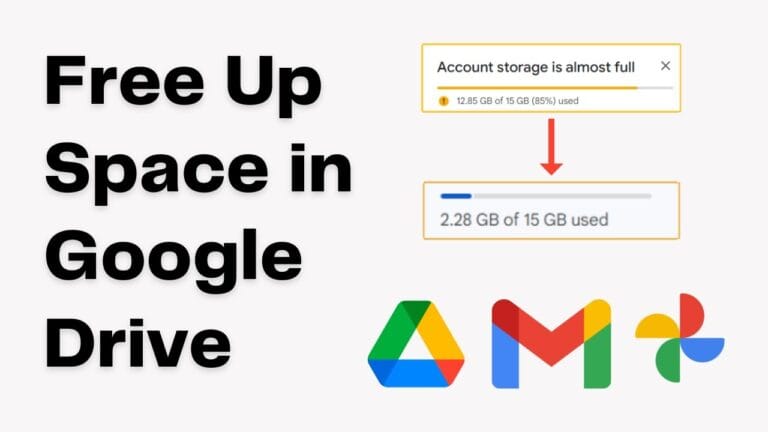
Another benefit of using Google Drive is the amount of storage space you get. With a free Google account, you get 15GB of storage space, which is plenty for most users. However, if you need more space, you can always upgrade to a paid plan. Google Drive also offers robust security features, including two-factor authentication and encryption, to keep your files safe and secure.
Using Google Drive for Collaboration
Google Drive is also an excellent tool for collaboration. With its real-time editing features, you can work on files with others simultaneously, making it easy to collaborate on projects. You can also use the commenting feature to leave feedback and suggestions, and even set up notifications to keep track of changes. Additionally, Google Drive integrates seamlessly with other Google apps, such as Google Docs, Google Sheets, and Google Slides, making it easy to create and edit files.
To use Google Drive for collaboration, simply select the file you want to share and click on the “Get link” button. Then, add the email addresses of the people you want to share the file with and set the permissions to “Editor” or “Commenter”. This will allow them to access the file and make changes or leave comments. You can also use the “Share” feature to share files with others, and even set up a shared drive to collaborate on projects with a team.
Tips for Optimizing Your Files for Direct Download
To make the most of Google Drive’s direct download feature, there are a few tips you should keep in mind. First, make sure your files are in a format that can be easily downloaded. For example, if you’re sharing a document, make sure it’s in a format like PDF or Word. You should also make sure your files are not too large, as this can make them difficult to download. If you need to share large files, consider using a compression tool to reduce the file size.
Another tip is to use descriptive file names and add descriptions to your files. This will make it easy for others to find and identify your files, and will also help with search engine optimization (SEO). Finally, make sure you have the necessary permissions set up to allow others to download your files. You can do this by setting the permissions to “Anyone with the link” and making sure the file is not set to “Private”.
Conclusion and Key Takeaways
In conclusion, creating a direct download link for your Google Drive files is a powerful way to make it easy for others to access and download your files. By following the simple steps outlined in this guide, you can create a direct download link and start sharing your files with ease. Additionally, by using Google Drive for collaboration and file sharing, you can boost your productivity and make it easy to work with others.
The key takeaways from this guide are:
- Google Drive is a powerful cloud storage service that allows you to store and share files with others.
- Creating a direct download link for your Google Drive files is easy and can be done by adding the `&export=download` code to the end of the link.
- Google Drive offers a range of features that make it easy to manage and organize your files, including folders, descriptions, and permissions.
- Google Drive is an excellent tool for collaboration, with real-time editing features and seamless integration with other Google apps.
- To optimize your files for direct download, make sure they are in a format that can be easily downloaded, are not too large, and have descriptive file names and descriptions.
By following these tips and using Google Drive to its full potential, you can make it easy for others to access and download your files, and boost your productivity in the process. Whether you’re a student, a business owner, or simply someone who wants to share files with others, Google Drive is an excellent choice. So why not give it a try today and see the difference it can make?